
Zoho Tables : A smarter way to organize work and data

Zoho Tables: in summary
Zoho Tables is a flexible, cloud-based collaborative database tool developed by Zoho for teams that need to organize, automate, and manage structured data efficiently. It blends the simplicity of a spreadsheet with the structure of a database, allowing users to create custom workflows and relational data systems without technical complexity.
It is designed for operational teams, product managers, marketers, HR, and small to mid-sized businesses. Common use cases include project tracking, content calendars, inventory management, CRM pipelines, and internal process automation.
Unlike basic spreadsheets or rigid database systems, Zoho Tables offers real-time collaboration, automation tools, and multiple data views, making it suitable for teams that want to stay organized and scale their processes with minimal overhead.
Key advantages include:
Spreadsheet-like interface with database-level features
Built-in automations to reduce repetitive work
Role-based collaboration with customizable permissions
What are the key features of Zoho Tables?
Customizable tables with rich field types
Zoho Tables lets users define and structure data using a variety of field types suited to business processes.
Available field types include:
Text, numbers, checkboxes, dropdowns, dates
File attachments, user assignments, formulas
Linked records to connect tables
This flexibility allows teams to model workflows specific to their needs, from simple task lists to complex resource planning.
Multiple views for visualizing and managing data
Users can create different views of the same data to match the way they work, helping teams focus on relevant information.
Supported views:
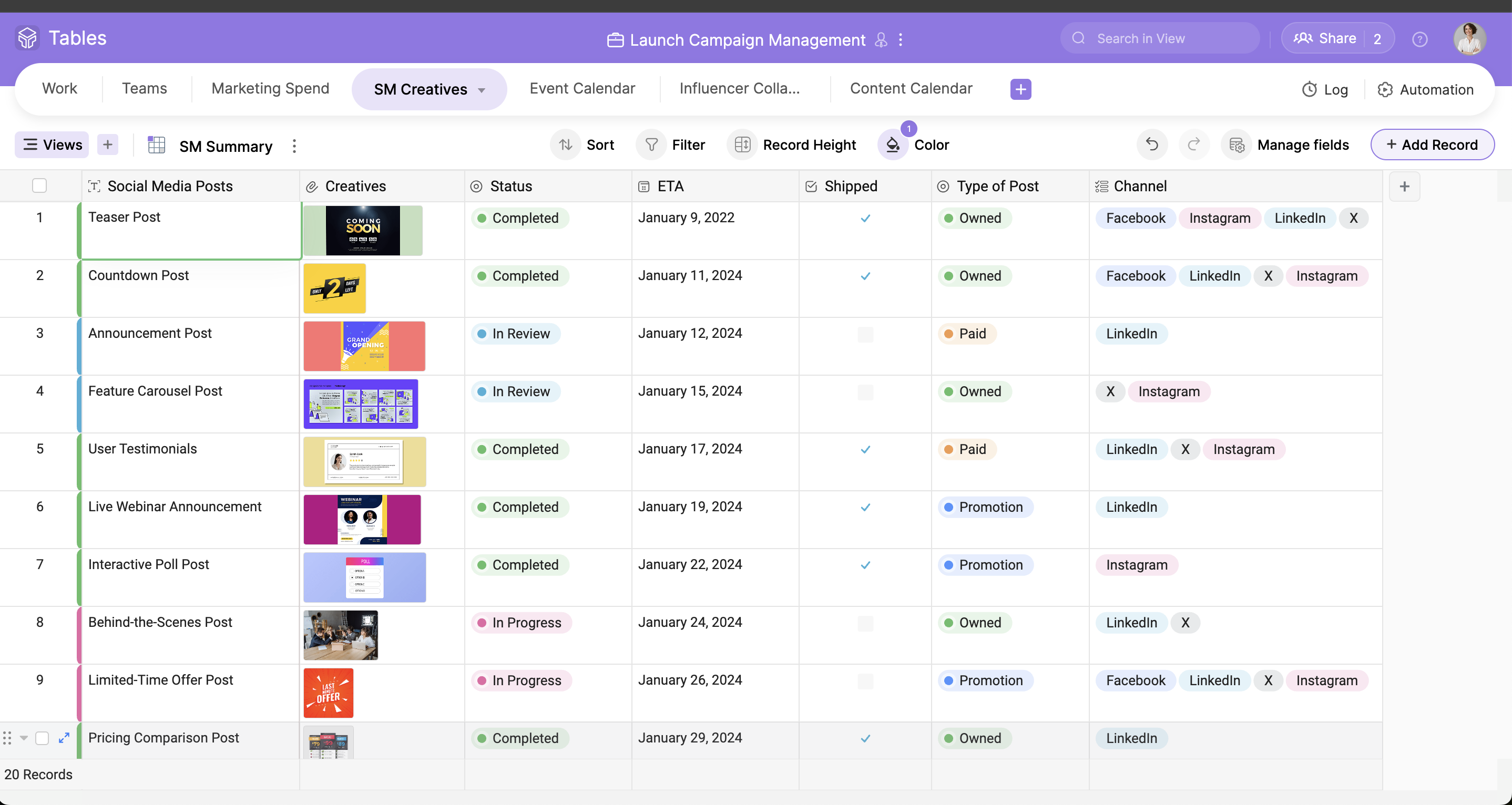
Grid view for traditional spreadsheet-style editing
Kanban view to manage workflows by status
Calendar view to organize date-related tasks
Gallery view for visual browsing
Form view for structured data entry
Each view includes filters, sorting, and grouping options to customize how data is displayed and interacted with.
Built-in automation for routine workflows
Zoho Tables includes no-code automation tools to streamline tasks that would otherwise require manual updates.
Example use cases:
Send notifications when task statuses change
Automatically assign users when records are created
Update related fields when a condition is met
Automation rules can be defined based on triggers and actions, reducing the time spent on repetitive administrative tasks.
Relational data linking between tables
Users can link records across different tables, supporting more complex relationships and connected data workflows.
Common scenarios:
Linking tasks to projects
Associating products with vendors
Connecting applicants to job postings
Linked records help maintain consistency and provide context across datasets without duplication.
Real-time collaboration with permissions control
Zoho Tables supports multi-user collaboration with detailed access controls, making it easy for teams to work together while keeping data secure.
Collaboration features include:
Shareable views with read-only or edit access
Record-level comment threads
Version history for tracking changes
This helps reduce miscommunication and ensures transparency in team workflows.
Integration with the Zoho ecosystem and external tools
Zoho Tables connects smoothly with other Zoho applications such as CRM, Projects, and Mail, supporting data flows across business functions.
It also allows:
Data import from Excel, CSV, or Google Sheets
Export options for sharing or backup
API access for custom integrations (feature set evolving)
This makes it easy to embed Zoho Tables into existing workflows or use it as a central hub for data management.
To summarize
Zoho Tables is a lightweight and flexible tool for teams that need to collaborate on structured data without building full-scale databases. Its benefits include:
Easy setup of data structures tailored to specific business processes
Multiple views for better visualization and task management
Automation tools to eliminate repetitive tasks
Linked records to handle relational data without complexity
Real-time collaboration with fine-grained access control
Zoho Tables is ideal for teams looking for a balance between the familiarity of spreadsheets and the power of modern databases, especially within organizations already using the Zoho ecosystem.
Its benefits
Real-time collaboration
Workflow automation
Dynamic views
Data management
Mobile friendly
 Zoho Tables - Access information on the go using the Zoho Tables mobile app.
 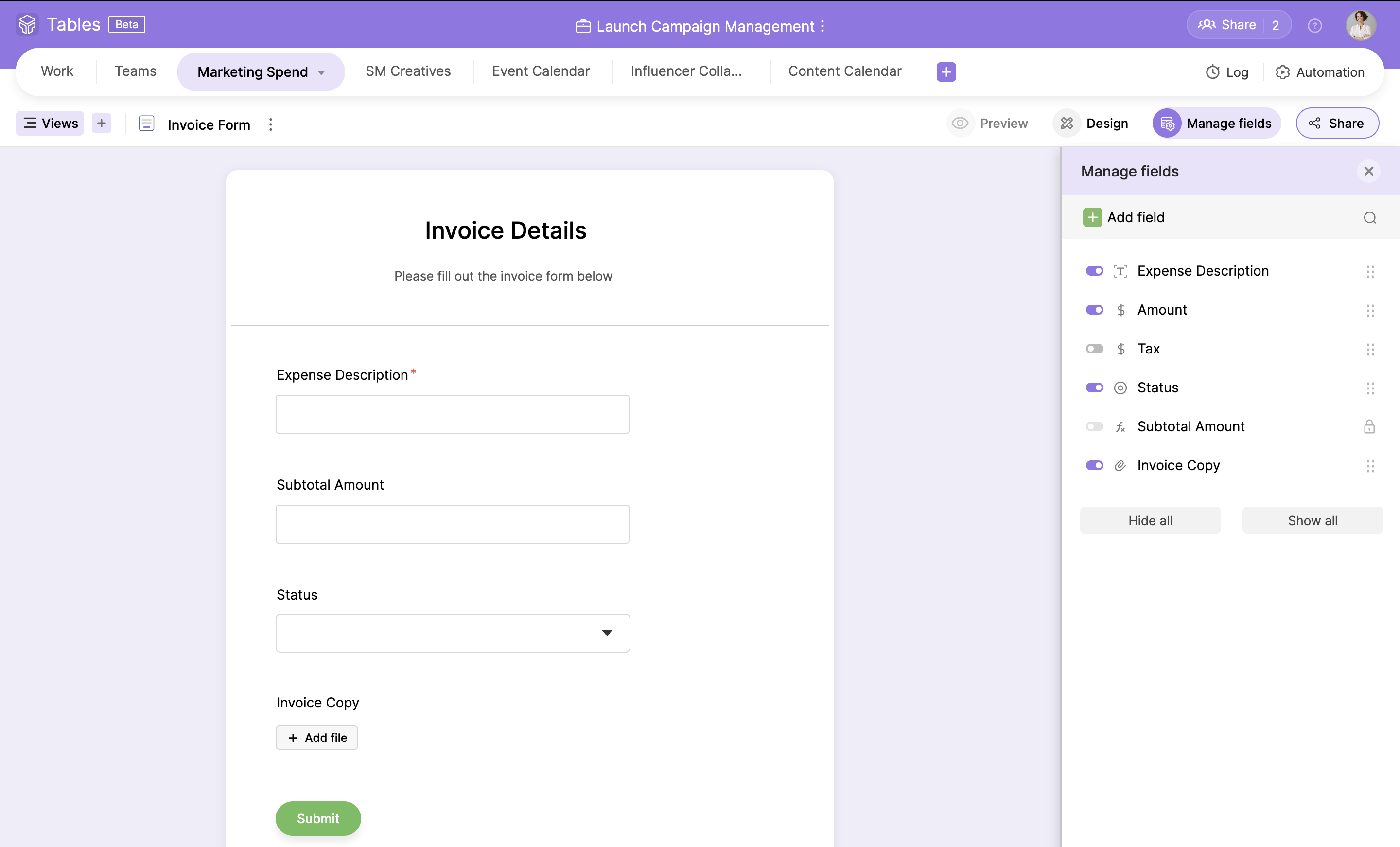 Zoho Tables - Quickly convert your fields into a fully customizable form to gather customer or team information.
 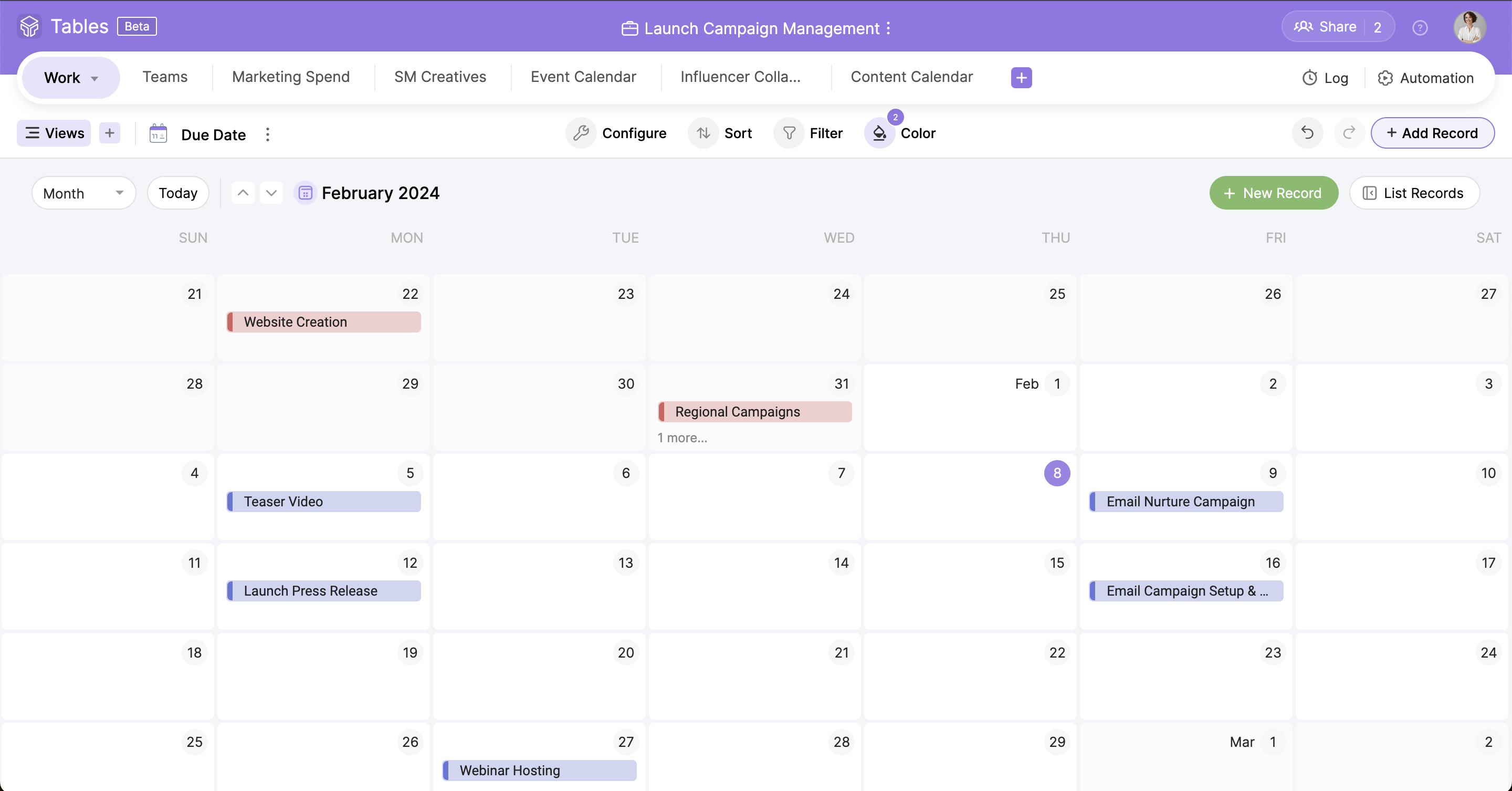 Zoho Tables - Stay on top of your schedule and eliminate overdues with the Calendar view.
 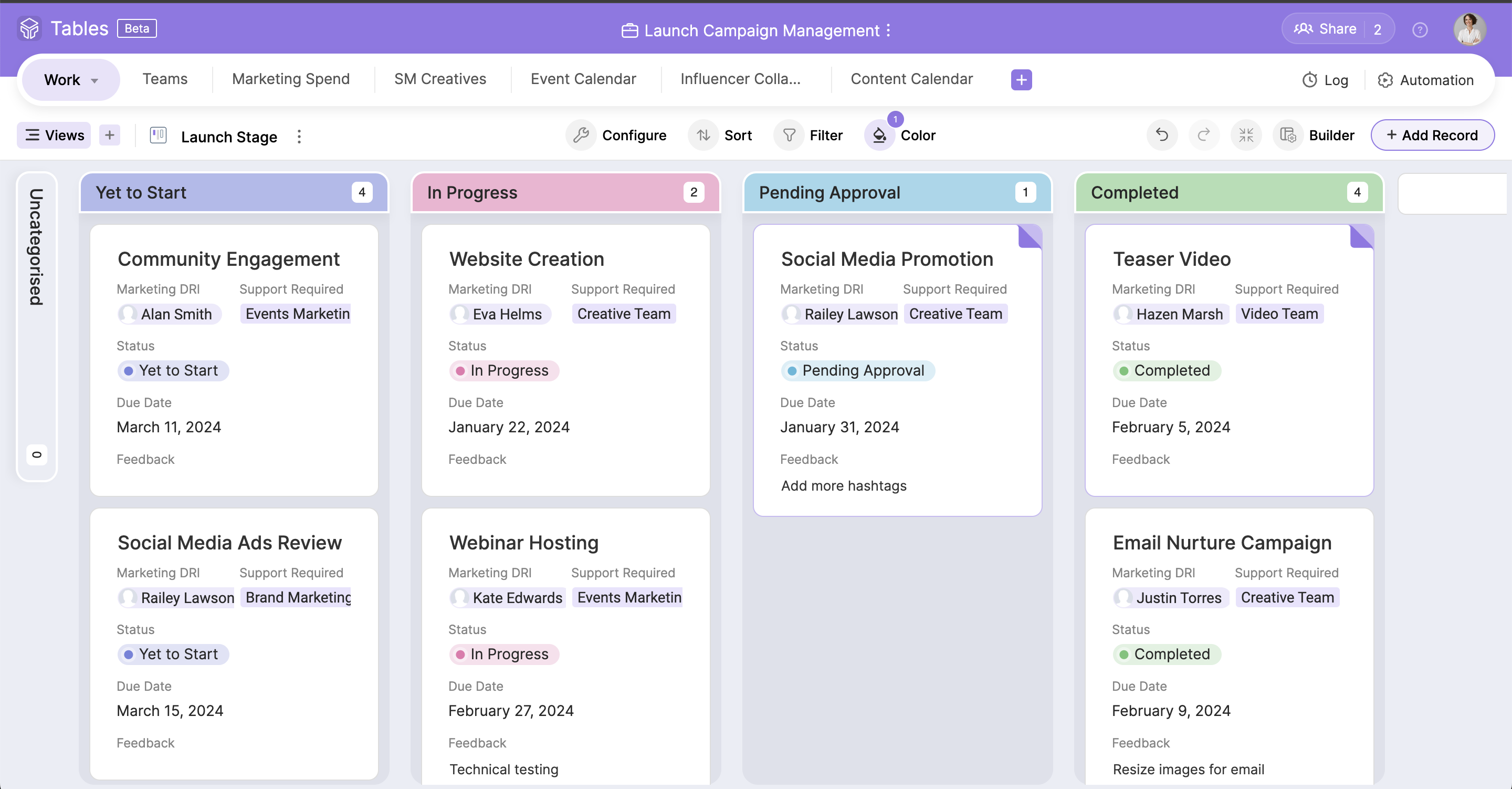 Zoho Tables - Maintain transparency and effortlessly monitor progress using our Kanban view.
 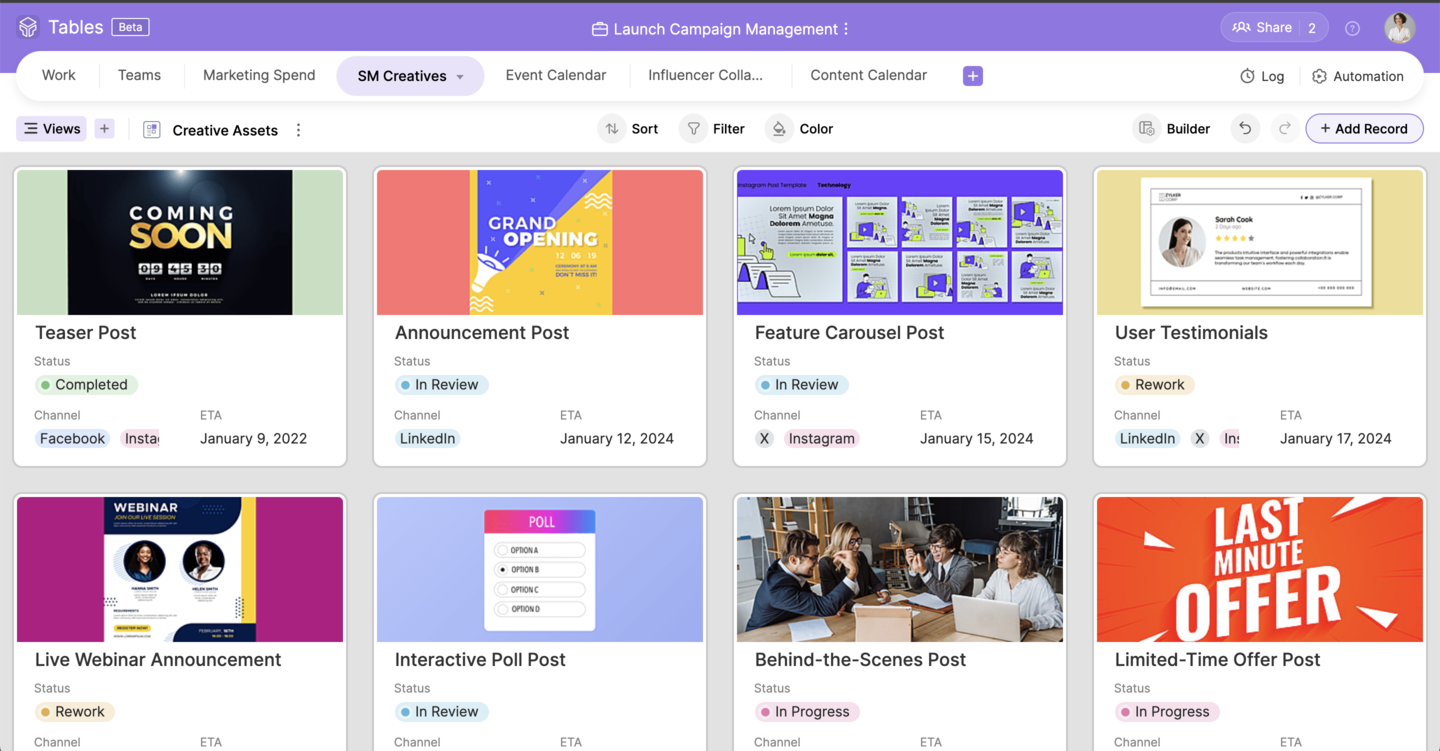 Zoho Tables - Spotlight your attachments and design a custom gallery with our straightforward drag-and-drop card builder.
 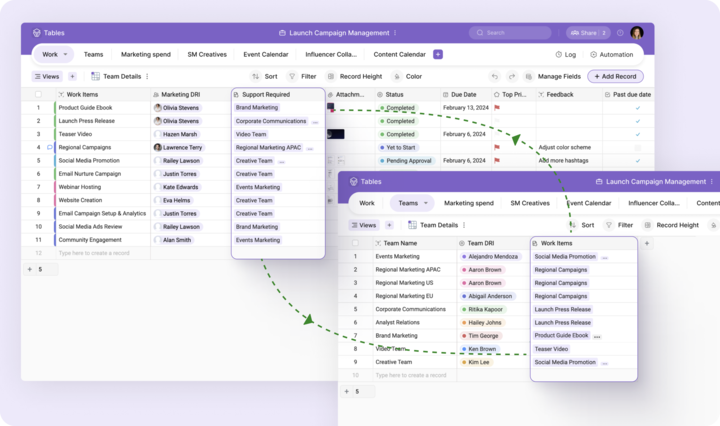 Zoho Tables - Create smart relationships between your data to avoid redundant tasks.
 Zoho Tables: its rates
Free
Free
Professional
$4.00
/month /user
Clients alternatives to Zoho Tables

Hybrid Cloud software for data management. Simplifies backup, recovery, and archiving of data with a single solution.
See more details See less details
Cohesity Data Cloud allows for seamless integration between on-premises and cloud environments. Reduces storage costs and improves data security. Easy to use interface for efficient data management.
Read our analysis about Cohesity Data Cloud
Streamline your data management with a comprehensive platform. Easily organize, analyze, and activate data to gain valuable insights.
See more details See less details
Makazi's Data Management Platform (DMP) provides a centralized hub for all your data needs. Its intuitive interface allows you to effortlessly manage and segment data, while its powerful analytics tools help you make informed decisions. With Makazi, you can easily activate your data across multiple channels and optimize your marketing efforts.
Read our analysis about Makazi
Create custom forms effortlessly with this powerful form builder software.
See more details See less details
Oracle WebCenter Content's Form Builder allows you to easily design and deploy forms tailored to your business needs. With a drag-and-drop interface, you can add fields, validate data, and create workflows with ease. Plus, the software's integration with other Oracle products ensures seamless data management.
Read our analysis about Oracle WebCenter Content Appvizer Community Reviews (0) The reviews left on Appvizer are verified by our team to ensure the authenticity of their submitters.
Write a review No reviews, be the first to submit yours.