
Bulk Mockup : Generate 1000+ mockups in 10 minutes

Bulk Mockup: in summary
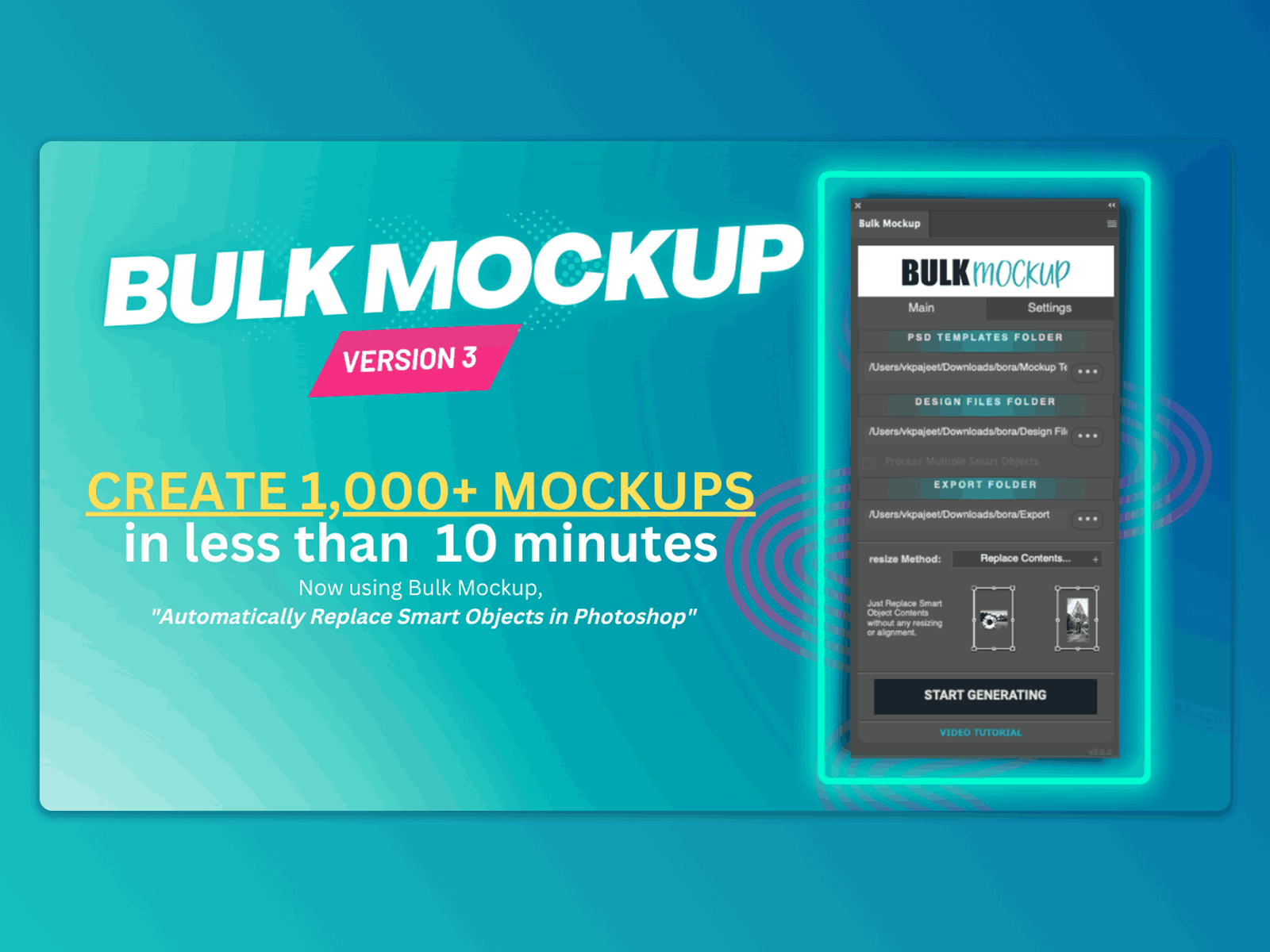
Bulk Mockup is an automation plugin for Adobe Photoshop, developed for e-commerce sellers, print-on-demand businesses, and digital creators who require speed, precision, and scalability in mockup production. Rather than editing each product mockup manually, users can generate hundreds or thousands of visual assets in a single batch by uploading their designs and connecting them to existing PSD templates.
Unlike generic mockup platforms like Canva or Placeit, Bulk Mockup leverages Smart Object-based PSDs, giving users full control over layout, branding, and visual quality. It is particularly valuable for businesses managing large design catalogs or frequent product launches across marketplaces such as Etsy, Amazon, or Shopify.
Among its most notable advantages:
Eliminates repetitive editing tasks and reduces design hours to minutes,
Supports complex mockup structures with multiple Smart Objects,
Organizes large exports into structured folders with custom naming to streamline asset management.
What are the key features of Bulk Mockup?
Batch Smart Object replacement in PSD templates
Bulk Mockup automates the process of placing designs into Photoshop mockups by detecting and replacing Smart Objects across multiple files.
Main capabilities:
Automatic resizing, alignment, and placement of designs,
Works with one or more Smart Objects per template,
Supports multi-design templates such as front-and-back apparel views or multi-panel artwork.
This core functionality replaces time-consuming manual work and ensures consistency across variations.
High-volume mockup generation at scale
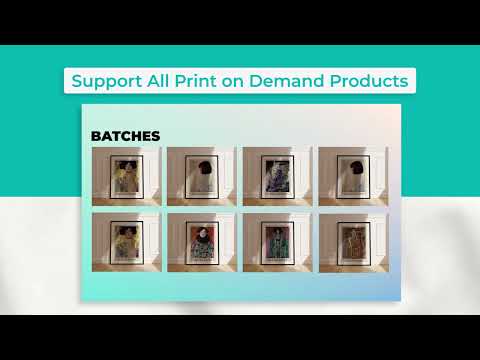
Designed for businesses with large product catalogs, Bulk Mockup facilitates the creation of product images for hundreds or thousands of SKUs in one operation.
Key use cases:
Print-on-demand sellers generating visuals for new designs,
E-commerce businesses preparing assets for product launches,
Agencies managing visual content for multiple clients or campaigns.
By scaling the creation process, it supports high-frequency product updates without added design labor.
Support for structured output management
To help teams manage bulk exports efficiently, Bulk Mockup:
Saves generated mockups in organized folders, with optional subfolders for each template or design,
Offers custom naming conventions to keep files searchable and ready for upload,
Makes large-scale launches less error-prone and easier to delegate.
This is particularly useful for operations involving product data importers or bulk listing tools.
Video and animated mockup generation
Beyond static images, Bulk Mockup supports:
Batch creation of video mockups, such as animated product reveals,
Export-ready assets for ads, landing pages, or social media,
Compatibility with PSDs containing timeline animations or smart object transitions.
This makes it a flexible tool for marketing teams needing visual variety without increasing production overhead.
Compatible with professional, custom-designed templates
Bulk Mockup works inside Adobe Photoshop and supports any PSD template built with Smart Objects. This ensures:
Full creative freedom over layout and visual identity,
No restrictions from marketplace mockup libraries,
Consistent integration into existing design workflows.
Users are free to build and reuse their own templates without relying on external platforms or stock mockups.
To summarize
Bulk Mockup is a specialized automation tool that streamlines high-volume mockup generation for professional use. Its key benefits include:
Massive time savings, reducing mockup creation from hours to minutes,
Accurate batch placement of designs across multi-object PSD templates,
Scalable output management with organized folder structures and file naming,
Support for animated and video mockups, ready for campaigns or product listings,
Full creative control with Photoshop-native compatibility.
By replacing repetitive manual work with automated precision, Bulk Mockup enables design teams, sellers, and marketers to move faster, stay organized, and scale effortlessly.
Its benefits
Universal Compatibility
Auto Resize & Align
Organised Files & Folders
Custom Naming System
Video & Animated Mockups
Bulk Mockup: its rates
standard
$15.00
/month /unlimited users
Clients alternatives to Bulk Mockup
Create professional logos and brand identity with ease using this graphic design software.
See more details See less details
Logaster offers a user-friendly interface and a wide range of templates, fonts, and icons to choose from. It also allows you to customize your logo by adjusting colors, text, and layout. Plus, you can download high-resolution files in various formats for use across all your marketing channels.
Read our analysis about Logaster
Create stunning graphics with ease using intuitive tools, templates, and effects.
See more details See less details
Whether you're a beginner or a pro, Pixlr's graphic design software provides a user-friendly interface and advanced editing options to enhance your images. Choose from a variety of filters, overlays, and fonts to take your designs to the next level.
Read our analysis about Pixlr
Streamline your graphic design workflow with powerful software that offers easy access to countless high-quality images and graphics.
See more details See less details
Whether you're a beginner or a professional, this software simplifies your design process by providing a vast library of images, templates, and design tools. You can easily customize and edit graphics, save your designs, and collaborate with team members.
Read our analysis about Shutterstock Appvizer Community Reviews (0) The reviews left on Appvizer are verified by our team to ensure the authenticity of their submitters.
Write a review No reviews, be the first to submit yours.